
Declaration of Conformity: View Document
User Manual: View Document
What is included in the download:
24 Animated Alerts — Custom alerts for follows, subs, donations, and more.
4 Sound Variations — Unique sound options to customize your stream experience.
StreamElements One-Click Install — Easily import your alert box with one click.
Streamlabs Instructions — Step-by-step guide to set up alerts in Streamlabs.
WebM Video Files — Transparent background animations for a clean, polished look
Couldn't load pickup availability
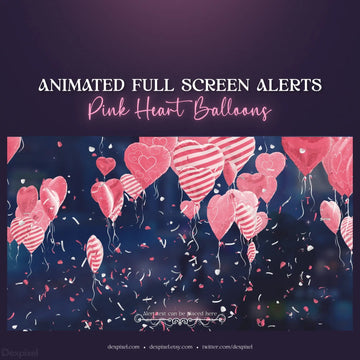
Fill your stream with celestial sparkle using the Purple Shimmer Starlight Animated Stream Alerts. With 24 unique alert animations in a stunning pastel purple starlight aesthetic, this pack makes every follower, subscriber, raid, and donation notification a magical moment. Smooth shimmer animations, glowing particles, and coordinated audio make this a standout choice for streamers who want a premium, cosmic look.
Make every alert shine with the Purple Shimmer Starlight Animated Stream Alerts. 24 animations, 4 sounds, and instant setup — grab the pack and light up your stream.
Animated stream alerts are dynamic, motion-based notifications that pop up during your live stream to highlight events like new followers, subscribers, donations, and raids. Dexpixel’s stream alerts are designed to grab attention with smooth animations and bold visuals. They enhance your stream’s professionalism, increase viewer engagement, and give your channel a polished, branded appearance.
Dexpixel’s animated stream alerts come in WebM format, a lightweight, high-quality format that ensures fast load times and smooth animations. These alerts are fully compatible with popular streaming platforms like OBS, Streamlabs, and StreamElements, making it easy to integrate them into your stream setup.
Yes, many of Dexpixel’s stream alerts come with separate alert sound files, allowing you to customize the sound to fit your stream’s aesthetic. The included audio files make editing or replacing sounds easy to match your brand's unique tone and feel. You can adjust or swap the sounds directly in your streaming software, such as Streamlabs or StreamElements.
Adding Dexpixel’s stream alerts is simple with our step-by-step instructions. Here’s a quick guide for both platforms:
For Streamlabs:
For StreamElements:
Dexpixel’s step-by-step instructions make setup simple and quick, even for new streamers.
Dexpixel’s animated stream alerts stand out due to their high-quality designs, modern animations, and versatile customization options. Here’s why they’re the best choice for streamers:
Dexpixel’s alerts are more than just notifications — they’re a way to enhance your brand, captivate your audience, and keep viewers engaged.
Declaration of Conformity: View Document
User Manual: View Document
Name: Dexpixel Ltd
Address: 6 Fern Road, Sandyford Business Park, Dublin 18, Dublin, D18FP98, Ireland
Email: info@dexpixel.com
Website: https://dexpixel.com/
European Manufacturer: Yes
Name: Dexpixel Ltd
Address: 6 Fern Road, Sandyford Business Park, Dublin 18, Dublin, D18FP98, Ireland
Email: info@dexpixel.com
Website: https://dexpixel.com/
Marketplace for twitch graphics: Professional animated & graphic designs including alerts, overlays, scenes & more for streamers and gamers.
Enter your email below to be the first to know about new collections and product launches.
Are you 18 years old or older?
Sorry, the content of this store can't be seen by a younger audience. Come back when you're older.